
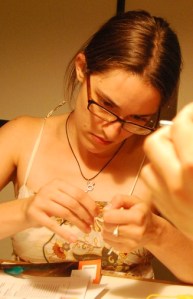
Sophia Roosth, a doctoral student at MIT, presented a talk at The Kennedy School of Government STS seminar series on 9 Nov 2009 called “Crafting the Biological: Open-Sourcing Life Science, from Synthetic Biology to Garage Biotech.”
It’s a fantastic talk. Sophia has been engaged in non-institutional biology at least since 2003, when she worked for Natalie Jeremijenko on the singular art / activist Biotech Hobbyist Magazine, and in her talk she presents her anthropological insight into DIYbio, richly contextualizing the social causes and effects of the movement.
Sophia talks about the practice of biology in terms of Knowing and Making. For DIYbiologists, she says:
“Knowing means a personal sort of knowledge, in which quotidian biologies like human bodies or the organisms you might encounter in a produce stand, for example, may be explored and modified. And Making is less about following engineering principles than it is about tinkering and making do, which I claim [DIYbiologists] do to destabilize what counts as legitimate scientific practice.”
“Biology, Knowing, and Making, are all concepts up for grabs at this moment in the life sciences (and in this talk). If what historian Philip Pauly called the ‘engineering ideal for biology‘ unfolded in the 20th century within institutionally-sanctioned spaces, then in the 21st we are witnessing synthetic biologists and self-described biohackers recasting the bioengineering project as malleable and explicitly domestic. Think of the personal computing revolution, but for biology.”
And that’s all in the first 5 minutes! Check it out. It’s great. (mp3)
Imagine this: You’re exploring the salt ponds of San Francisco, and notice the water isn’t clear — it’s red! You dip a piece of plastic into the water to get a sample and notice lots of small little particles in the droplets.
Then you pull out your iPhone, magnify the sample 100 x and snag a photo. Doesn’t look like anything familiar but…
Maybe #diybio on Twitter would know?
 “#diybio, I’m at the salt flats outside San Francisco. Any idea if I’m looking at something like red tide, or is this just algae?” – DIYbioGuy, N 37o 50′ 55.5” – W 121o 55′ 53.0”
Fellow citizen scientists take interest…
“@DIYbioGuy — Those algae look active, and wow look at
the chambers on that Foraminifera! It looks like it may be ornamenting itself. #diybio” – wreinhardt
Make this happen — a portable, web-enabled 100x microscope that plugs into an iPhone. The purpose of this article is to document my attempt. To be sure, I had an idea and I tried it out. I did not refine the idea or do very much planning. In place of refining the idea, I used lots of tape. I also didn’t get very far.

Cellscope demo at Critter Salon (SF)
Inspiration: A few weeks ago at the CRITTER Salon in downtown San Francisco, I talked with Amy from UC Berkley about a project called “CellScope“. Their mission — diagnosing diseases in remote areas by hooking a simple microscope up to a cell phone. Snag an image, and send it off to some professions for diagnosis of sickle cell and TB, and other diseases.
I love the idea, I dislike squinting into microscopes (and maybe you do to?). Though I won’t be diagnosing diseases, a portable, web-enabled microscope would be very useful. Extending this project to connect to an iPhone seemed like the obvious choice, so I gave it a shot.
Day 1 – I bought a RadioShack pocket scope tonight. Lining up the microscope with my iPhone while trying to focus was a disaster. I needed to mount the microscope to something flat.
Using the packaging, a whole bunch of tape, and a butter knife for stability, I mounted the microscope to the cardboard. Then I got the microscope to line up with my iPhone’s camera – and snagged this picture of a quarter. It’s pretty tedious to get the scope aligned with the camera, so I called it a night after nabbing a cool picture of the threads from the green Foo Camp shirt I was wearing.

My t-shirt through the Radioshack pocket scope + iPhone
Day 2 – When I returned home after work, I was inspired to make a more permanent mount that wouldn’t go out of alignment as easy. I had a package of moldable plastic beads lying around from Maker Fair. The beads melt in boiling water, forming a big malleable blob. You mold the blob to whatever shape you desire and when it cools, it’s hard plastic. This stuff was great, and you can re-heat and reform it too. After my first attempt at molding a mount, I discovered the problem wasn’t just the mounting. The precise alignment needed between the scope and the phone was too much, I estimate about 1/16″ difference would cause the image on the microscope to move outside of the iPhone’s sight.

Stabilizing the pocket scope
Over the next few days, I attempted to enlarge the image using eyeglasses from a Dollar store, and other types of magnifying lenses, none of which helped. At this point, I had a good understanding for the challenges ahead. I wrote Amy back to see what a copy of the Cellscope would cost, but the parts she suggested were about $300. I decided to let the project settle and moved on to something else. Then I met the Hackteria team…
Turning a $20 webcam into a 200x USB microscope
At the DIYbio + iGEM meeting last week at MIT, a team from Hackteria (Bangalore) showed us how it’s done. Mac brought a $20 USB webcam to the meeting for us to hack. Basically just unscrew the case, flip the little lens around, and there you have it, a 200x USB microscope. Of course, focusing is still a manual process and somewhat tricky.
http://www.viddler.com/player/20829118/
Above: A video from Hackteria’s USB webcam project
Summary: Overall, I went through a lot of crummy ideas to get to some ok ones. Many of my best “discoveries” were simply stumbling upon the great work of others, like the Cellscope and Hackteria! Turning a USB webcam into a microscope is great for innovation in low cost labs. The next step is mobility – hooking one of these up to an iPhone, either through the USB port or just relying on the built in camera. Check out the Hackteria blogpost, here.
Challenges: A portable iPhone microscope
1. Low cost magnification — solved
- USB webcam or Manual pocket scope
2. Digitizing and recording images — getting there
- Standard desktop software for USB webcam
- unknown for pocketscope + iPhone
3. Connecting a USB webcam to an iPhone — ??
4. Obtaining and positioning the sample — ??
- This is the most challenging part of the project. How would you use an iPhone microscope? Do you want to keep it in your pocket? If you want to look at a leaf, how do you hold the scope + sample so that they stay in focus? Do you need to keep slides with you as well, in order to quickly mount your sample?
After reading this, you might get the initiative to try building something of your own. Go for it! Fail fast. Fail frequently!
I’ve started a discussion in the DIYbio Forums, and would love to hear about your thoughts, ideas, and progress!
— Tito Jankowski is a founder of Pearl Biotech. His interests include building better hardware for biology.
Sources —
Hackteria: DIY USB microscope
Instructables: 30 minute USB microscope
Critter Salon
CellScope
Want to chat with other members of the DIYbio community? Come check out the DIYbio Forums!
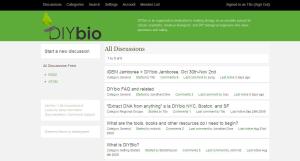
Come talk about your latest project!
- Getting Started – What is DIYbio? What should be my first experiment?
- General – News, speeches, and other talk!
- Ongoing Projects – Let’s hear about your projects and results
- Safety – Where to get and give advice for responsible and safe practice
- Regional Groups – DIYbio SF, Boston, Seattle, New York!
To get started, just register, upload a smiling picture, and introduce yourself!
 For those of you who tweet, link your Twitter feed to your profile under “Account/Personal Information”
 And, for you RSS junkies out there, the DIYbio Forums have an RSS feed here
As always, if you have any questions the DIYbio team is just a click away: contact@diybio.org


 DIYbio